How to setup a HA K3s cluster in a homelab?
The plan is to set up a High Available (HA) cluster with 3 master nodes and 5 worker nodes, using containers in a VM in your local machine. Here I am using a RHEL 8 VM. I am assuming that…
The plan is to set up a High Available (HA) cluster with 3 master nodes and 5 worker nodes, using containers in a VM in your local machine. Here I am using a RHEL 8 VM. I am assuming that the reader of this article will have the knowledge of a beginner or an intermediate practitioner.
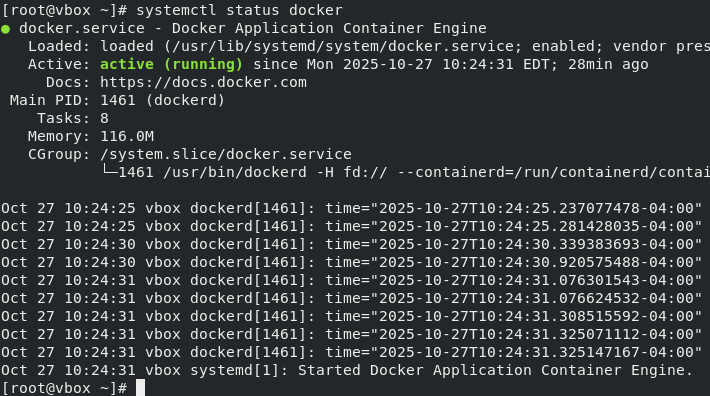
First of all, you need to have docker set up.
Now we will use a lightweight command-line tool called k3d. It builds a cluster of K3s nodes (which are just Docker containers) with a single command. It automatically creates a Docker network, links all the containers, handles token sharing, and sets up the HA etcd database. This saves you from dozens of complex manual docker run commands.
curl -s https://raw.githubusercontent.com/k3d-io/k3d/main/install.sh | bash
The command line client kubectl should be installed, so that we can interact with the K3s cluster.
curl -LO "https://dl.k8s.io/release/$(curl -L -s https://dl.k8s.io/release/stable.txt)/bin/linux/amd64/kubectl"
sudo install -o root -g root -m 0755 kubectl /usr/local/bin/kubectl
rm kubectl
Now begins the interesting part of creating the cluster.
k3d cluster create homelab-cluster --servers 3 --agents 5
That’s it. Seriously. k3d will pull the K3s image, create a dedicated Docker network, launch all 8 containers, configure them, and set up the HA control plane.
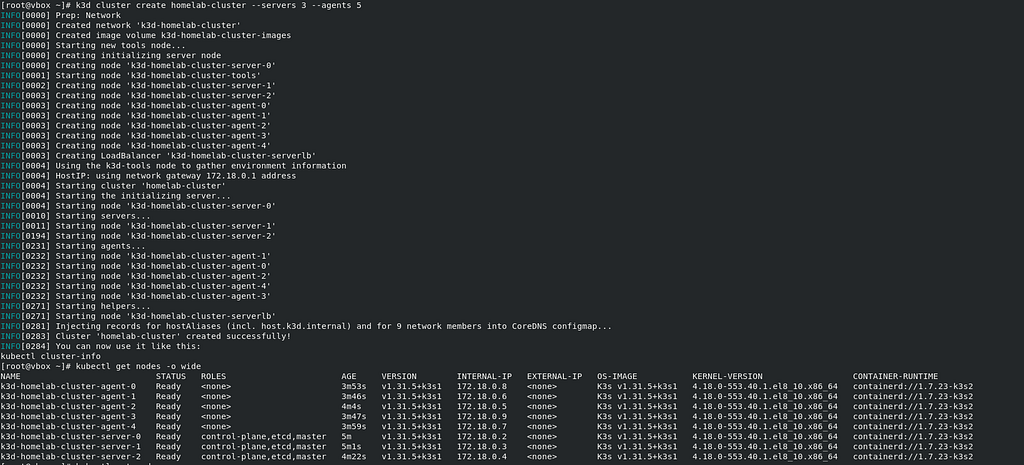
Verify using
kubectl get nodes -o wide
Stay tuned for the next post where I will do some more configurations to the cluster.