Cloning docker images between repositories without downloading them
If you have a slow internet connection or are limited on bandwidth quota and want to clone docker images between repositories without downloading them to your local machine, then this guide…
If you have a slow internet connection or are limited on bandwidth quota and want to clone docker images between repositories without downloading them to your local machine, then this guide is for you.
As an intermediary platform we will use GitLab here.
First of all create a private project using you GitLab account. Then under the left sidebar, go to Settings and click CI/CD.
Then add two protected variables there. This will be your username and password for your docker repo login.
DOCKER_HUB_USERNAME
DOCKER_HUB_PASSWORD
Now under the left sidebar, click Build and click Pipeline Editor, and paste the below code. (Replace the values denoted between <>)
stages:
  - deploy

clone_image:
  stage: deploy
  image:
    name: quay.io/skopeo/stable:latest
    entrypoint: [""]
  variables:
    SOURCE_IMAGE: "docker://docker.io/<SOURCE_REPO>/<IMAGE_NAME>:<TAG>"
    DEST_IMAGE: "docker://docker.io/<DEST_REPO>/<IMAGE_NAME>:<TAG>"
  script:
    - |
      skopeo copy \
        --dest-creds "${DOCKER_HUB_USERNAME}:${DOCKER_HUB_PASSWORD}" \
        "$SOURCE_IMAGE" \
        "$DEST_IMAGE"
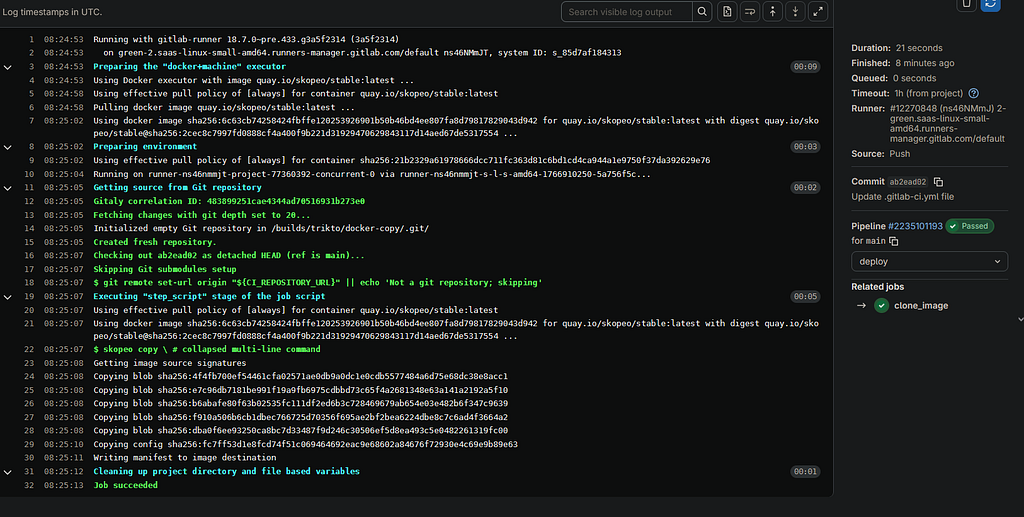
Click Commit, now your pipeline will start to run.
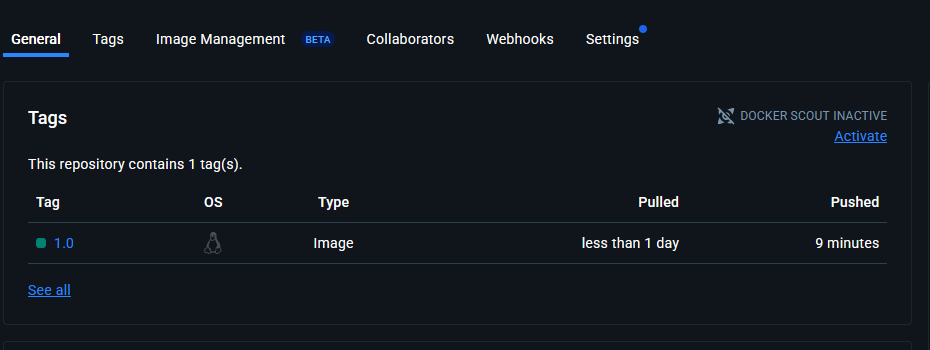
After the successful execution, you will have the image cloned to your repo.
If you are cloning from a private repo, update the relevant skopeo commands.